

CometChatOutgoingMessageBubbleStyle and CometChatIncomingMessageBubbleStyle for fine-grained control over message bubble appearance. These classes extend ThemeExtension, allowing customizations through global theming or explicit style objects.
How These Classes Help
1. Targeted Customization
Customize specific attributes of message bubbles:- Background color, border radius, text style
- Specialized bubbles: Audio, File, Collaborative, Poll, Deleted, Link Preview, Sticker, Call bubbles
- Reactions, timestamps, avatars, and borders
2. Unified Global Theming
Apply styles via Flutter’s global theming or pass them toCometChatMessageListStyle:
- Dart
3. Ease of Integration
Pass styles directly toCometChatMessageList:
- Dart
Customizable Message Bubbles
Text Bubble
- Dart
Image Bubble
- Dart
Video Bubble
- Dart
Voice Note Bubble
Styles the voice-note (recorded audio) bubble viavoiceNoteBubbleStyle and CometChatVoiceNoteBubbleStyle.
- Dart
The older
audioBubbleStyle / CometChatAudioBubbleStyle names are deprecated aliases of voiceNoteBubbleStyle / CometChatVoiceNoteBubbleStyle and still work, but prefer the voice-note names.File Bubble
- Dart
Sticker Bubble
- Dart
Call Bubble
- Dart
Collaborative Whiteboard Bubble
- Dart
Collaborative Document Bubble
- Dart
Poll Bubble
- Dart
Link Preview Bubble
- Dart
Action Message Bubble
- Dart
Deleted Message Bubble
- Dart
AI Assistant Bubble
- Dart
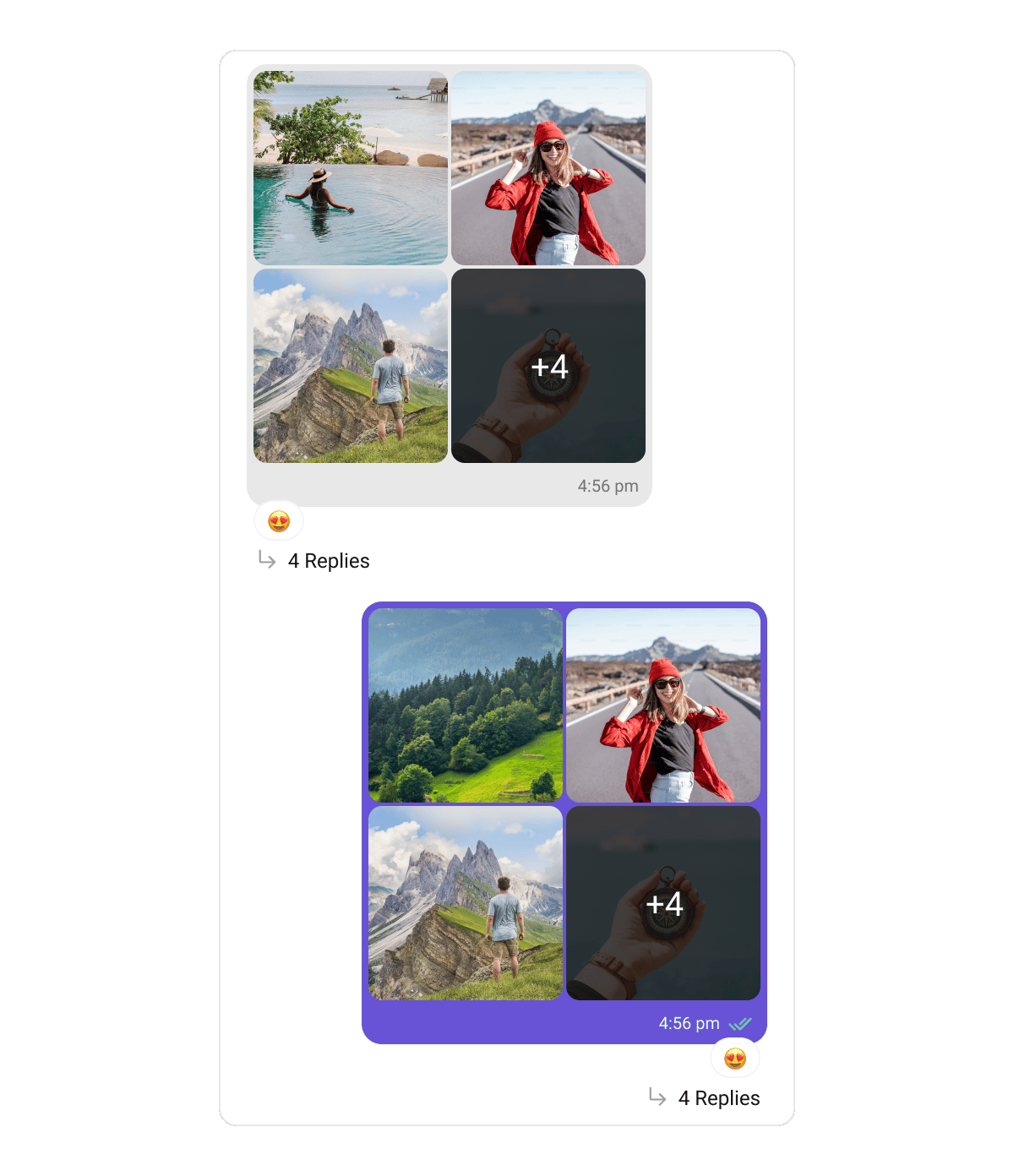
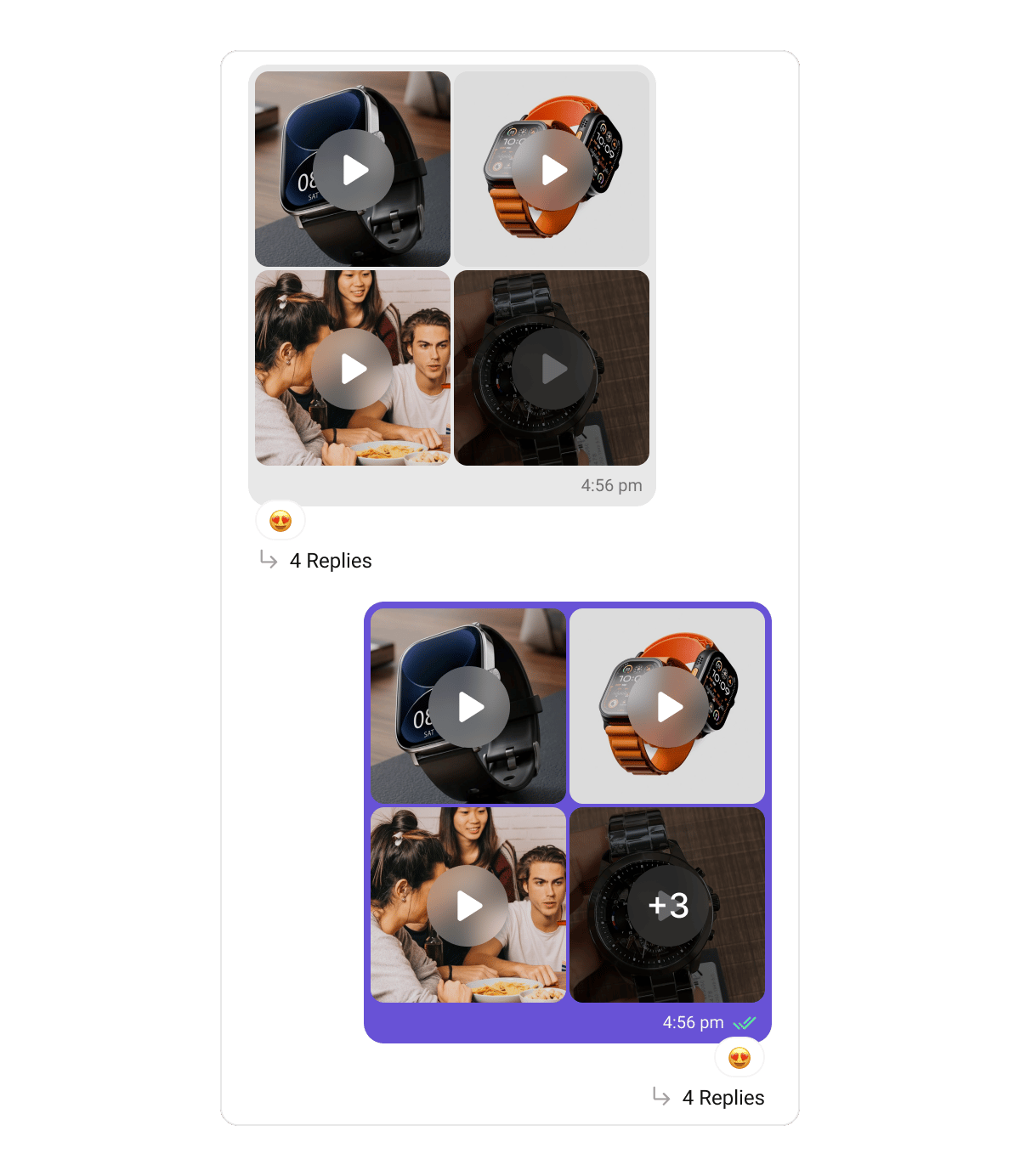
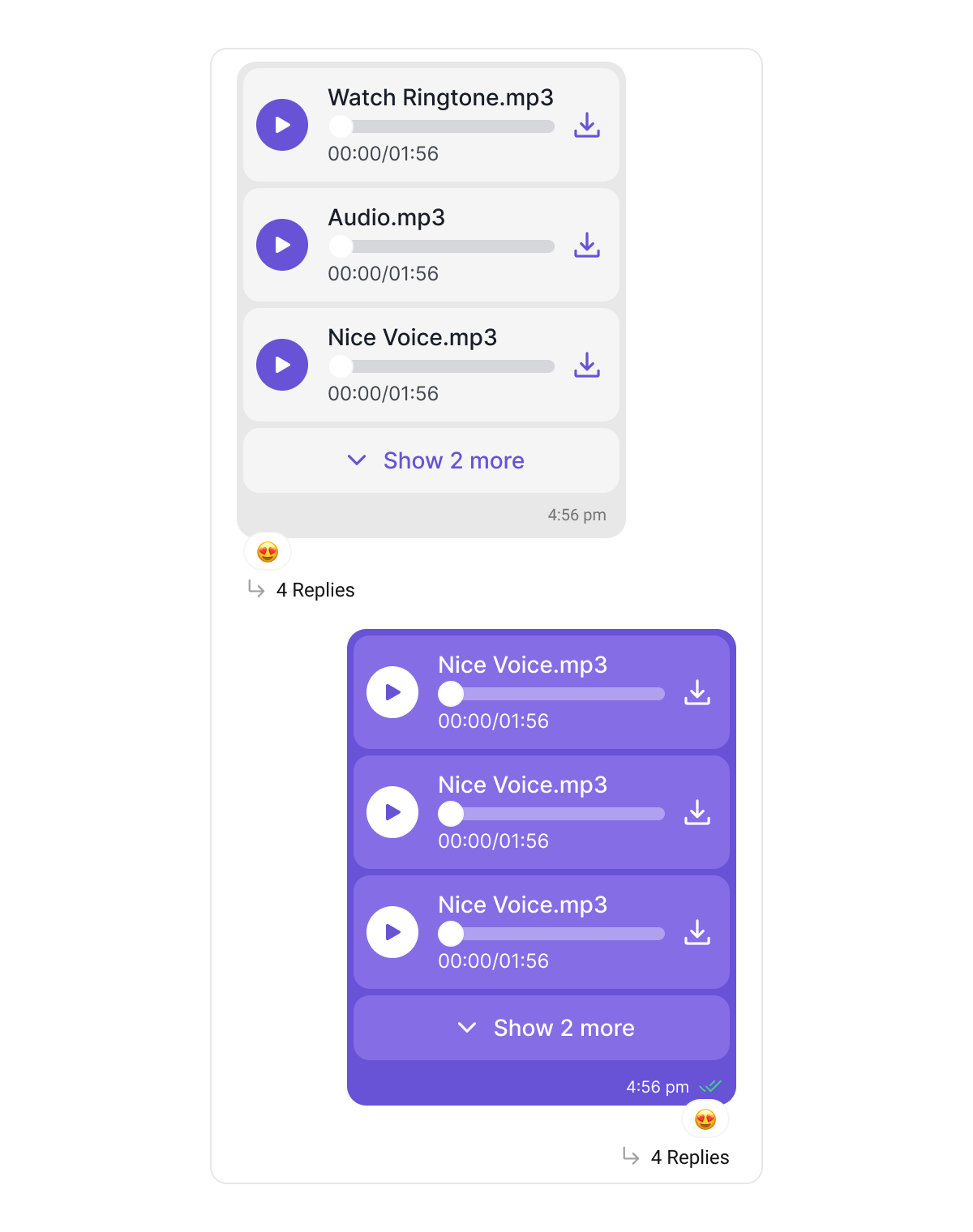
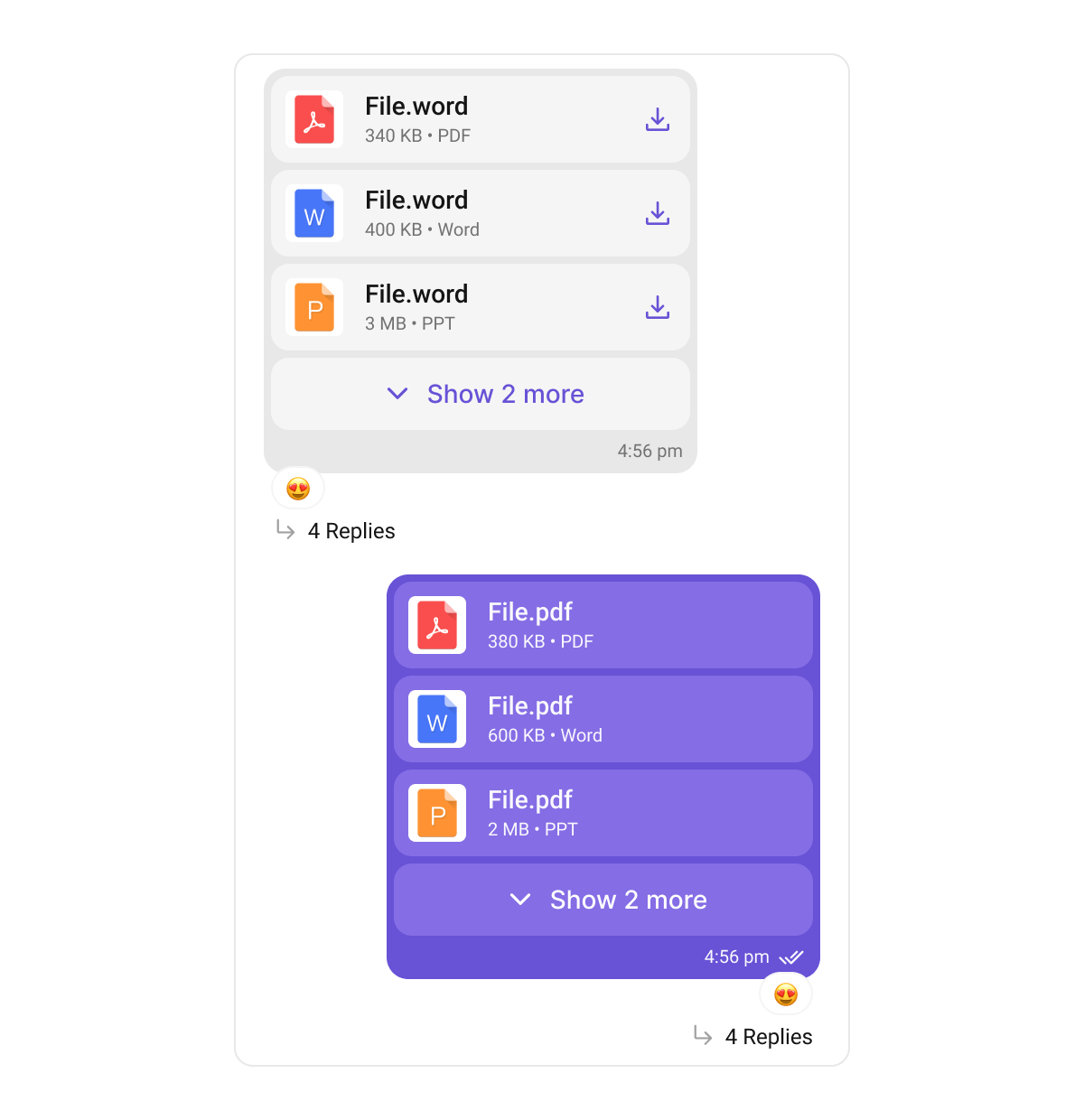
Multiple Attachments
WhenenableMultipleAttachments is on, a message’s images / videos / audio files / documents render through dedicated multi-attachment bubbles. These are styled differently from the single-attachment bubbles above: each has its own ThemeExtension class that you register directly in ThemeData.extensions — they are not nested inside CometChatIncomingMessageBubbleStyle / CometChatOutgoingMessageBubbleStyle.
- Dart
Both families can coexist. The single-attachment
imageBubbleStyle / videoBubbleStyle / voiceNoteBubbleStyle / fileBubbleStyle apply when a message carries one attachment (or when multiple attachments are disabled); the classes below apply to the multi-attachment grids and lists.Images Bubble — CometChatImagesBubbleStyle
Videos Bubble — CometChatVideosBubbleStyle
Audios Bubble — CometChatAudiosBubbleStyle
Files Bubble — CometChatFilesBubbleStyle
Media Grid — CometChatMediaGridStyle
The lower-level grid the Images and Videos bubbles build on. Most apps style via the two bubble classes above; register CometChatMediaGridStyle directly only to control the grid layer everywhere at once.